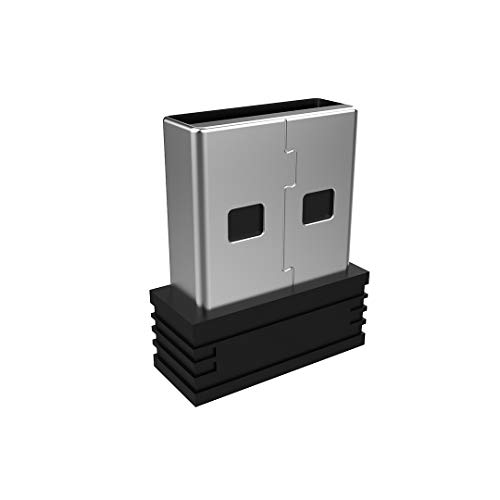
Arteck 2.4G Nano USB Receiver for Wireless Keyboard or Mouse (For Arteck brand only, Not For HW197 or Bluetooth Version)
Current price
£5.99
Retrieved on 15/11/2026 · prices subject to change
In stock
Product features
- This USB need to manually pair to your keyboard or mouse before using. Pairing Process: 1) Keyboard: Switch the keyboard to be on and press Esc+k, the indicator will blink. Move the Keyboard close to the USB port and insert the USB receiver.
- This USB need to manually pair to your keyboard or mouse before using. Pairing Process: 2) Mouse: Switch the mouse to be off, press and hold the right button and the wheel, turn on the mouse wait 2 seconds to release the holding, the indicator will blink. Move the mouse close to the USB port and insert the USB receiver.
- Arteck Only: This nano USB receiver is for Arteck USB wireless products, it's not suitable for other brands. It's not suitable for Arteck HW197, HD197, MD167, MD172 or Bluetooth keyboard or mouse.
- This USB is not suitable for any Bluetooth keyboard or mouse.
- Manually Setup: If you have problem to connect the USB to the Arteck keyboard or mouse, please contact the seller as there’s manually pairing the USB to the keyboard and the mouse.
Specifications
- Type
- Personal Computer
-
Arteck 2.4G Wireless Keyboard Stainless Steel Ultra Slim Full Size Keyboard with Numeric Keypad for Computer/Desktop/PC/Laptop/Surface/Smart TV and Windows 11/10/ 8 Built in Rechargeable Battery
£38.99 14/11/2026
View on Amazon -
Arteck 2.4G Wireless Keyboard Ultra Slim Full Size Keyboard with Numeric Keypad and Media Hotkey for Computer/Desktop/PC/Laptop/Surface/Smart TV and Windows 10/8/ 7
£19.99 14/11/2026
View on Amazon -
Arteck 2.4G Wireless Keyboard Stainless Steel Ultra Slim Full Size Keyboard for Computer/Desktop/PC/Laptop/Surface/Smart TV and Windows 10/8 / 7 Built in Rechargeable 6-Month Battery
£25.64
View on Amazon£26.9914/11/2026 -
Arteck Universal Bluetooth Keyboard Stainless Steel Full Size UK Layout Wireless Keyboard for Windows, iOS, Android, Computer Desktop PC Laptop Surface Tablet Smartphone Built in Rechargeable Battery
£43.99 14/11/2026
View on Amazon -
Arteck 2.4G Wireless Keyboard Ultra Slim Full Size Keyboard with Numeric Keypad and Media Hotkey for Computer/Desktop/PC/Laptop/Surface/Smart TV and Windows 10/8/ 7 Built-in Rechargeable Battery
£25.99 14/11/2026
View on Amazon -
TP-Link UB5A Bluetooth 5.4 USB Adapter for PC, Nano Bluetooth Dongle | Plug & Play, Windows 11/10/8.1/7, Broader Coverage, BLE, Controller, Headset, Mouse, Keyboard
£4.59 15/11/2026
View on Amazon -
TP-Link UB600 Bluetooth 6.0 USB Adapter for PC, Nano Bluetooth Dongle | Windows 11/10/8.1/7, Broader Coverage, BLE, Controller, Headset, Mouse, Keyboard
£5.99
View on Amazon£9.9915/11/2026Deal
-
TP-Link Nano USB Bluetooth 4.0 Adapter for PC Laptop Desktop Computer, Bluetooth Dongle and Receiver for Windows 11/10/8.1/8/7/XP, Plug and Play(UB400)