As an Amazon Associate we earn from qualifying purchases. Prices and availability are shown on Amazon, not here.
Key takeaways
- Best for most readers: Kindle Paperwhite. 7" screen, warm light, waterproof, up to 12 weeks of battery on the listing.
- Best entry-level: the standard 6" Kindle. Fine for bedtime reading; the listing mentions brightness only, not warm light or waterproofing.
- Best for colour: Kindle Colorsoft. Covers, comics and highlights in colour, at the cost of battery life against the Paperwhite.
- Best for notes: Kindle Scribe Colorsoft. 11" screen with a pen included. A notebook that also reads books, not the other way round.
- Alternative: a Kobo, if you want EPUB without conversion or UK library lending. Check it is stocked and sold by a seller you trust before you buy.
Which Kindle should you buy? For most people, the Paperwhite. It has the larger 7" screen, a warm light, waterproofing and the longest battery of the lot on Amazon's listings. The entry-level Kindle is enough if you only read in bed. The Colorsoft is for colour. The Scribe is for writing. A Kobo is the alternative if you borrow library books or buy from more than one shop.
Specs below come from Amazon's own listings and Kobo's pages. We haven't used these devices, so there are no impressions here, only things you can check.
TL;DR
- Most readers: Kindle Paperwhite (Newest Gen). 7" screen, warm light, waterproof. £199.99
- Entry level: the standard 6" Kindle. No warm light or waterproofing on the listing. £84.99
- Colour: Kindle Colorsoft. Comics and covers. £259.99
- Handwriting: Kindle Scribe Colorsoft. 11" screen, pen included. £569.00
- Not Amazon: a Kobo Clara BW. EPUB without conversion.
Comparison table
| Model | Screen | Battery (listing) | Waterproof | Warm light | Storage |
|---|---|---|---|---|---|
| Kindle (newest gen) | 6" | Up to 6 weeks | Not listed | Brightness only on listing | 16 GB (32 GB version sold) |
| Kindle Paperwhite (Newest Gen) | 7" | Up to 12 weeks | Yes | Yes (white to amber) | 16 GB |
| Kindle Paperwhite Signature Edition | 7" | Up to 12 weeks | Yes | Yes, auto-adjusting | 32 GB |
| Kindle Colorsoft | 7", colour | Up to 8 weeks | Yes | Yes | 16 GB |
| Kindle Scribe Colorsoft | 11", colour | Not stated in the listing text | Not listed | Front light | Check listing |
| Kobo Clara BW | 6" | Check Kobo | Yes | Yes (ComfortLight PRO) | 16 GB |
Which one, by how you read
You read most nights, mostly novels. The Paperwhite is the answer. The larger screen means fewer page turns, the amber light is easier in a dark room, and waterproofing covers a bath or a pool. There is also a Signature Edition with 32 GB and an auto-adjusting light. It only matters if you want that light or a lot of local storage.
You read a few books a year. The standard Kindle does the job. Amazon's listing for the newest one says the back panel opens for a battery swap, which is unusual and worth knowing about a device you will keep for years. What it doesn't list is a warm light or waterproofing.
You read comics, cookbooks or illustrated books. Colour is the reason to pay for the Colorsoft. For plain text it is a trade: a shorter battery and a display Amazon itself says is tuned for colour.
You want to write on it. The Scribe Colorsoft is a different category. An 11" screen is too big for a coat pocket. If you only read, you are paying for a pen you won't use. If you read and take notes on papers or documents, it is the only one here that does both.
Ads, lock-screen offers and what the cheaper listing hides
The entry Kindle and some others are sold in "with ads" and "without ads" versions, often a different listing for each. The ads are on the lock screen and the home screen. They aren't inside books. Check which one you are on before you add to basket: the two listings for the same Kindle can sit side by side in the search results.
Things the marketing doesn't tell you
- "Weeks of battery" is a reading estimate. The listings state battery life for a certain amount of reading per day with the light at a set level. Brighter light and Bluetooth shorten it.
- The cheaper Kindle isn't a cut-down Paperwhite. It has a 6" screen and, on the listing, brightness control only. If you read in a dark room, check for the warm light before you buy.
- Colour e-ink isn't colour LCD. It is paper-like and muted, and Amazon's own listing says the display is optimised for colour rather than for black-and-white text.
- Your books stay in Amazon's system. Kindle Store purchases read on Kindle devices and apps. Kindle Unlimited is a subscription, not a purchase: books leave when you cancel.
- Page-turn accessories are extra. Kindle Click, a wireless page-turn remote, and the slim magnetic cover with buttons are both listed as sold separately.
- A case is not optional for some people. Covers and cases are specific to each generation. Check the model year before buying one.
- Refurbished is an option. Amazon sells Certified Refurbished Kindles. Read the listing for the warranty terms.
Kobo: when it is the better choice
A Kobo e-reader reads EPUB natively, can be used with OverDrive library lending (check the model), and isn't tied to one shop. Kobo's UK site lists the Clara BW as a 6" E Ink screen with 16 GB and waterproofing. The trade-off is the store: Amazon's Kindle Store is larger and better integrated with the Kindle. Kobo availability on Amazon UK changes with sellers, so we haven't catalogued one here.
Verdict
Buy the Paperwhite unless you have a reason not to. Take the standard Kindle if you only read at bedtime and don't mind going without warm light and waterproofing. Take the Colorsoft for comics and the Scribe for notes. Take a Kobo if library lending or EPUB matters more than the Kindle Store. For more reading, see our murder mystery puzzle books and cookbooks guides.
Our picks

Kindle Paperwhite (Newest Gen)
Amazon
7" glare-free screen, adjustable white-to-amber light, waterproof, 16 GB, up to 12 weeks of battery on Amazon's listing. The one to start from.
£199.99 Retrieved on 01/11/2026 · prices subject to change

Kindle 16GB (Newest Gen)
Amazon
6" screen, up to 6 weeks of battery, replaceable battery, 16 GB. Sold with or without ads. The listing mentions adjustable brightness, not warm light.
£84.99 Retrieved on 01/11/2026 · prices subject to change
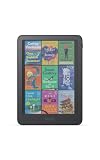
Kindle Colorsoft (Newest Gen)
Amazon
7" colour display, warm light, waterproof, up to 8 weeks of battery. Colour highlights in five shades.
£259.99 Retrieved on 01/11/2026 · prices subject to change

Kindle Scribe Colorsoft
Amazon
11" Colorsoft screen, built-in notebook, Premium Pen included (no charging needed). Large and a different job from reading.
£569.00 Retrieved on 02/11/2026 · prices subject to change
Kobo Clara BW
Kobo
6" E Ink screen, waterproof, 16 GB per Kobo's own page. Reads EPUB natively. Not catalogued here, so no price on this page.
On ThePriceMonkey
Products from this guide in our catalogue — current price, specs and availability on each page.
- Kindle Paperwhite (Newest Gen) · Amazon
- Kindle 16GB (Newest Gen) · Amazon
- Kindle Colorsoft (Newest Gen) · Amazon
- Kindle Scribe Colorsoft · Amazon
FAQ
Should I buy a Kindle with ads or without?
With ads, the Kindle shows adverts on the lock screen and a banner on the home screen. They don't appear inside books. Without ads, the lock screen is clean. Check the listing for whether ads can be removed after buying. If the lock screen offers would annoy you, buy the without-ads version once rather than paying twice.
How much storage do I need?
For text books, 16 GB is plenty: Amazon's listings say thousands of books, magazines and comics. Storage fills with comics, graphic novels, colour manga and audiobooks. If that is most of your reading, look at the 32 GB Signature Edition versions or a Colorsoft. Everything you buy stays in your Amazon library, so a full device only means deleting local copies.
Can I borrow library books on a Kindle in the UK?
As far as we can tell, no. Libby's send-to-Kindle option is a US feature, so UK libraries lend to Kobo and to phone and tablet apps instead. Kobo's UK page for the Clara BW mentions borrowing from your local library through OverDrive/Libby, with a note that it is only available in some countries; check that your own library is on Libby before you buy. If library lending matters to you, that alone can decide the purchase.
Paperwhite or Colorsoft?
Paperwhite is the better text reader: Amazon's own listing says the Colorsoft display is optimised for colour and differs from the Paperwhite display, which is optimised for black and white reading. Battery life is also shorter on the Colorsoft (up to 8 weeks against up to 12 on the listings). Choose Colorsoft only if comics, cookbooks or colour highlighting are a real part of your reading.
Can a Kindle read EPUB files?
Amazon's Send to Kindle accepts EPUB files, so you can put DRM-free EPUBs on a Kindle. Books bought from other stores with DRM don't open on a Kindle at all. A Kobo reads EPUB directly. If you buy books from several shops, that is the practical difference.